Cloud MES for small manufacturers
Know where every job stands. Finally.
Runworx replaces the paper travelers with a live record of the work as it happens, without disrupting your business.
Built from the floor up. Live in weeks, not months.
Runs on the phones, tablets and laptops your shop already has.
The problem
What paper and Excel actually cost you.
None of this is news to anyone who has run a floor. It is just hard to fix with a clipboard.
You find out after the fact
The only way to know where a job stands is to walk out and ask. By the time the answer gets back to the office, the floor has moved on.
The history is in a box
A customer asks which lot went into an order from last spring. The traveler is in a banker’s box, if it is anywhere, and somebody spends a day looking.
Downtime nobody wrote down
A line sat idle most of Tuesday morning. It never made it onto a sheet, so it never happened — and nothing stops it from happening again.
Quotes built on memory
You price the next job from gut feel, because nobody can say what the last one actually took.
What Runworx does
The floor, on one screen — and on the record.
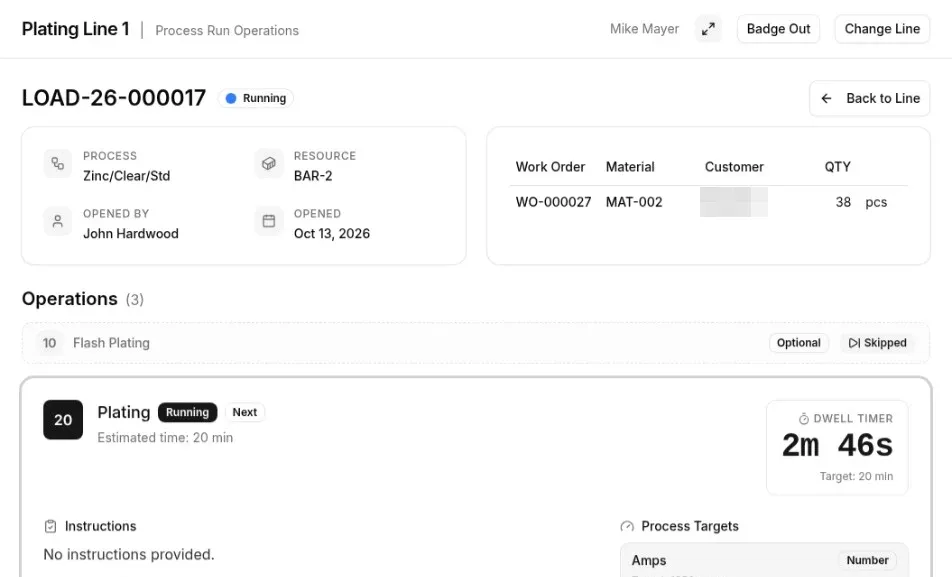
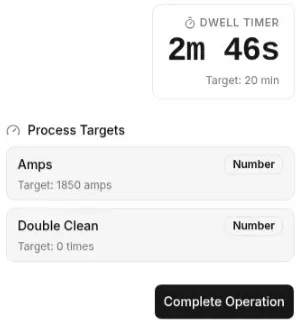
Every job, live
Open the dashboard and see what is running right now — not what ran last Thursday.
- Work orders and process runs move on screen as the floor works them.
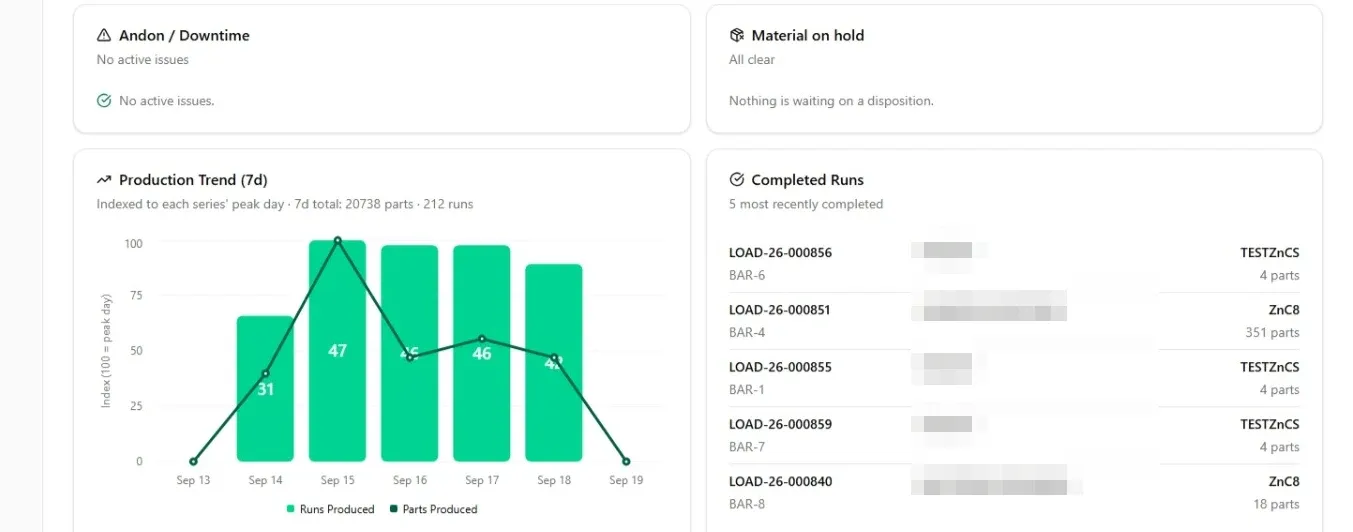
- A crane stalls, a dryer stops — the floor gets an alert the moment it happens.
- Downtime is logged as it happens, so you know which line sat idle, when, and for how long.
From receiving to shipping
A job starts when the customer’s parts land on your dock and ends when they leave on a truck. Both ends go on the same record as everything in between.
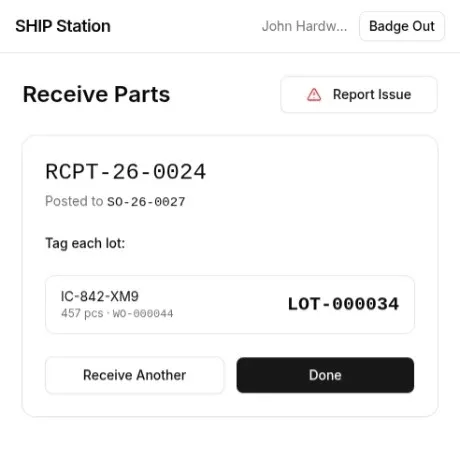
- Receive at the dock on a phone. The parts post to the customer’s order and every lot is tagged on the spot.
- The office can see which orders are still waiting for parts without walking out to look.
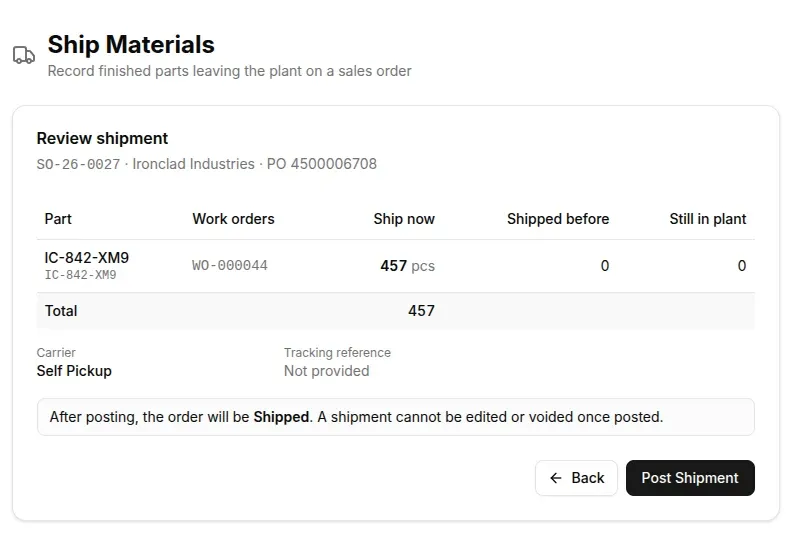
- Ship from a laptop: what goes now, what already went, what is still in the plant. Once posted, the shipment is locked.
Traceability that is already there
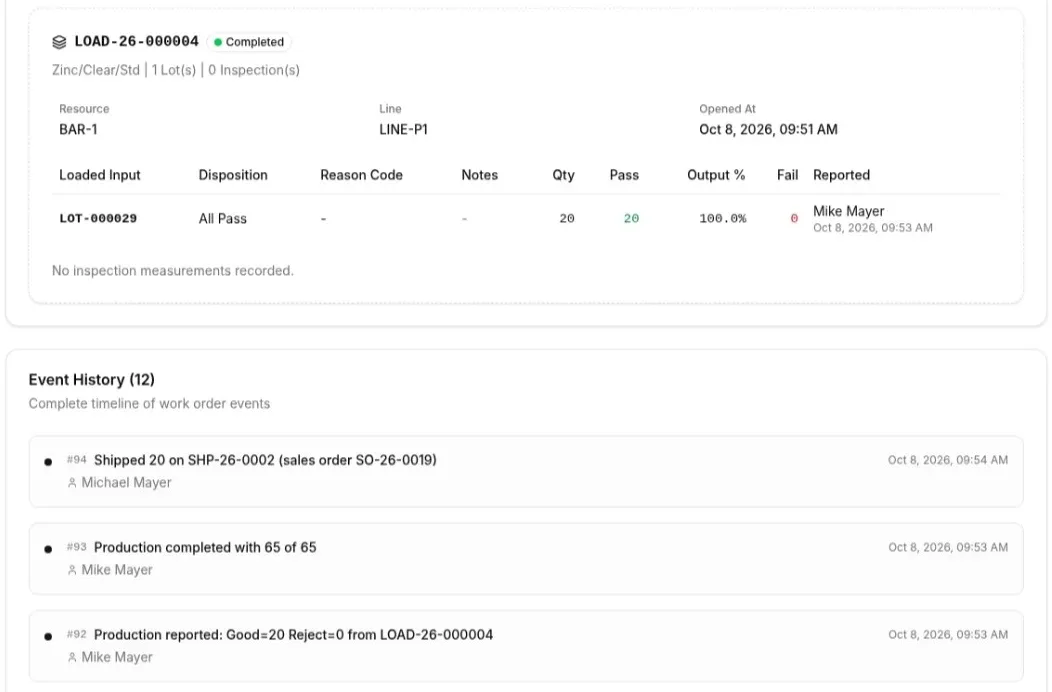
When a customer or an auditor asks what happened on a job, you are not reconstructing it. The history is already there.
- Every shop floor event is captured as it happens. Nothing gets written down twice.
- Lot, batch, rack, and unit history — what went in, what came out, what shipped.
- Quality records and audit logs stay with the job instead of in a binder.
Change it yourself
Your process is yours. When it changes — a new step, a new quality check, a new routing — you change it the same afternoon.
- No consultants
- No change orders
- No waiting on somebody else’s release
Where this lands
Three ways to run a floor.
Getting started
- Paper & Excel
- Already on the floor
- Enterprise MES
- A year-long rollout
- Runworx
- Live in weeks
Knowing where a job stands
- Paper & Excel
- Walk out and ask
- Enterprise MES
- A report somebody builds
- Runworx
- Open the dashboard
Traceability
- Paper & Excel
- Boxes of travelers
- Enterprise MES
- There, if it was set up that way
- Runworx
- Recorded as the work happens
Changing a process
- Paper & Excel
- Reprint the form
- Enterprise MES
- A change order
- Runworx
- You change it yourself
Who runs it
- Paper & Excel
- Whoever files the paper
- Enterprise MES
- IT and an outside integrator
- Runworx
- Your floor supervisor
Downtime
- Paper & Excel
- Remembered, sometimes
- Enterprise MES
- Logged if somebody logs it
- Runworx
- Captured when it happens
Fit for a 15–150 person shop
- Paper & Excel
- It is what you have
- Enterprise MES
- Trimmed down to fit
- Runworx
- Built for it from the start
Who is behind it
Built by people who have stood on the floor.
Runworx grew out of years of building software for steel mills, where lines run around the clock and nobody has patience for a system that gets in the way. We still build the same way: get on the floor, watch how the work actually moves, and make something an operator will use at two in the morning without being talked into it.
I fundamentally believe that the small and mid-size shops that make up America’s manufacturing backbone deserve tools as good as anyone’s, built for the way their floor runs.
We’re a small company. The people building Runworx are the people answering the phone.

Michael MayerFounder & Architect, Runworx TechnologiesLinkedIn profile of Michael Mayer (opens in a new tab)
How it works
From first call to running on the floor.
No IT hire. No outside integrator. No year of meetings.
A walkthrough
A short call. You show us how a job moves through your shop today. We show you what that looks like in Runworx.
We set up your shop
Your facilities, lines, and resources. Your routings and quality forms, built from the travelers you already run.
The floor tries one job
One work order, one line, on a tablet you already own. Operators use it before anybody commits to anything.
You are running
Roll it out line by line, at your pace. Weeks, not months — and you change it yourself from there.
Run your floor on Runworx.
Book a walkthrough and we will show you your own shop in it — your parts, your routings, your quality checks.
Rather just email? office@runworx.ai